


Clippy, the iconic assistant of Microsoft Office 1997, has been given a modern version by developer Felixrieseberg, preserving its original visual style but equipped with artificial intelligence capabilities. The updated Clippy is capable of working with native language models including Google Gemma 3, Microsoft Phi-4 Mini and Qwen3, offering users the functionality of an AI assistant without the need to connect to cloud services.
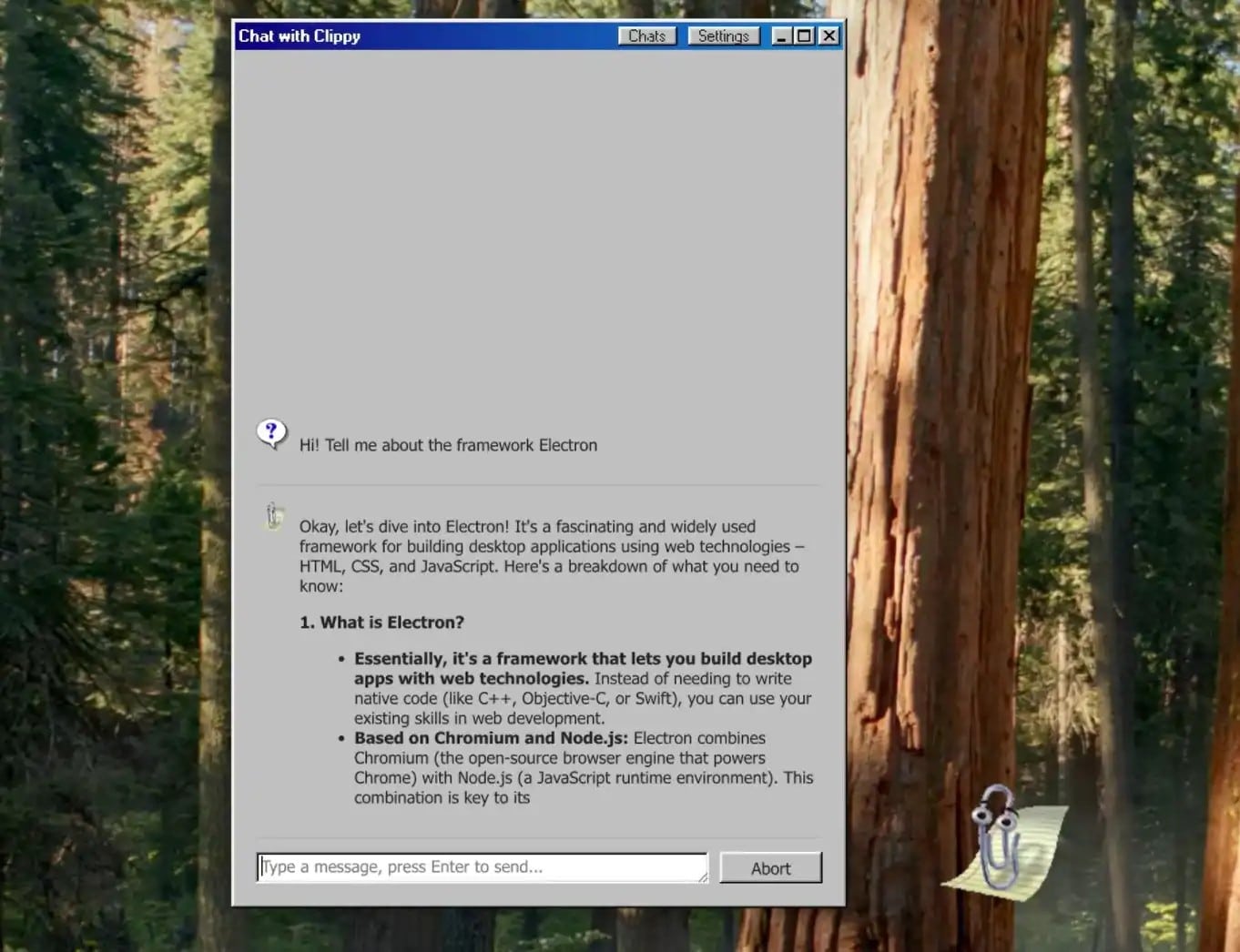
This project, which can be downloaded for free on GitHub, stands out with its ease of installation and automatic selection of the most appropriate way to initialize artificial intelligence models. Clippy supports offline operation and is compatible with all three major operating systems: Windows, macOS and Linux (in RPM and Debian formats for x64 architecture).
This nostalgic project combines the recognizable interface of the late 90s with modern natural language processing technologies, offering an alternative to cloud artificial intelligence services with an emphasis on local computing and data privacy. The developer emphasizes that the updated Clippy retains all the charm of the original character, characteristic animation and style of interaction with the user.
Rebirth of Clippy: Nostalgia with Artificial Intelligence
Clippy's return isn't just a nostalgic revival, it's an exciting example of how AI can transform the desktop experience. It demonstrates the potential of using an AI-powered assistant by protecting your personal privacy while reducing dependence on cloud-based AI solutions.
Compatible with Local Language Models, Safe and Efficient
Perhaps the most important feature of Clippy is that it supports native language models such as Google Gemma 3, Microsoft Phi-4 Mini and Qwen3. This ensures that users' data is processed on their devices and not sent to the cloud, eliminating privacy concerns and making it possible to use Clippy even without an internet connection.
Easy to Install, Simple to Use
Felixrieseberg has gone to great lengths to make installing Clippy as easy as possible. The project automatically selects the most appropriate way to initialize AI models, ensuring that even non-technical users can easily use Clippy.
Broad Operating System Support
Clippy runs smoothly on all three major operating systems, including Windows, macOS, and Linux (in RPM and Debian formats for x64 architecture). This makes Clippy accessible to a wide range of users.
What Can Clippy Do?
More than just a nostalgic figure, the updated Clippy can help you with a number of practical tasks:
**Creating and editing text:** It can help you quickly create or edit emails, documents, and other text.
**Information search:** Allows you to quickly find information by accessing locally stored information and documents.
**Automating tasks:** It can help you save time by automating repetitive tasks.
**Programming help:** Can give you suggestions as you code and help you debug.
Clippy: The AI Assistant of the Future?
Clippy's return raises important questions about the future of artificial intelligence assistants. The rise of native language models and increased interest in data privacy may increase the popularity of applications like Clippy. Perhaps in the future we will see more AI assistants running on the desktop, reducing our dependence on cloud-based assistants and giving control back to us.


