


If you have an Android device, you've probably come across the term APK at some point. These types of files, which are generally downloaded independently from application stores such as Google Play Store, are a method frequently preferred by Android users. So, what is an APK file? We told about this topic in a separate article
How to install APK file?
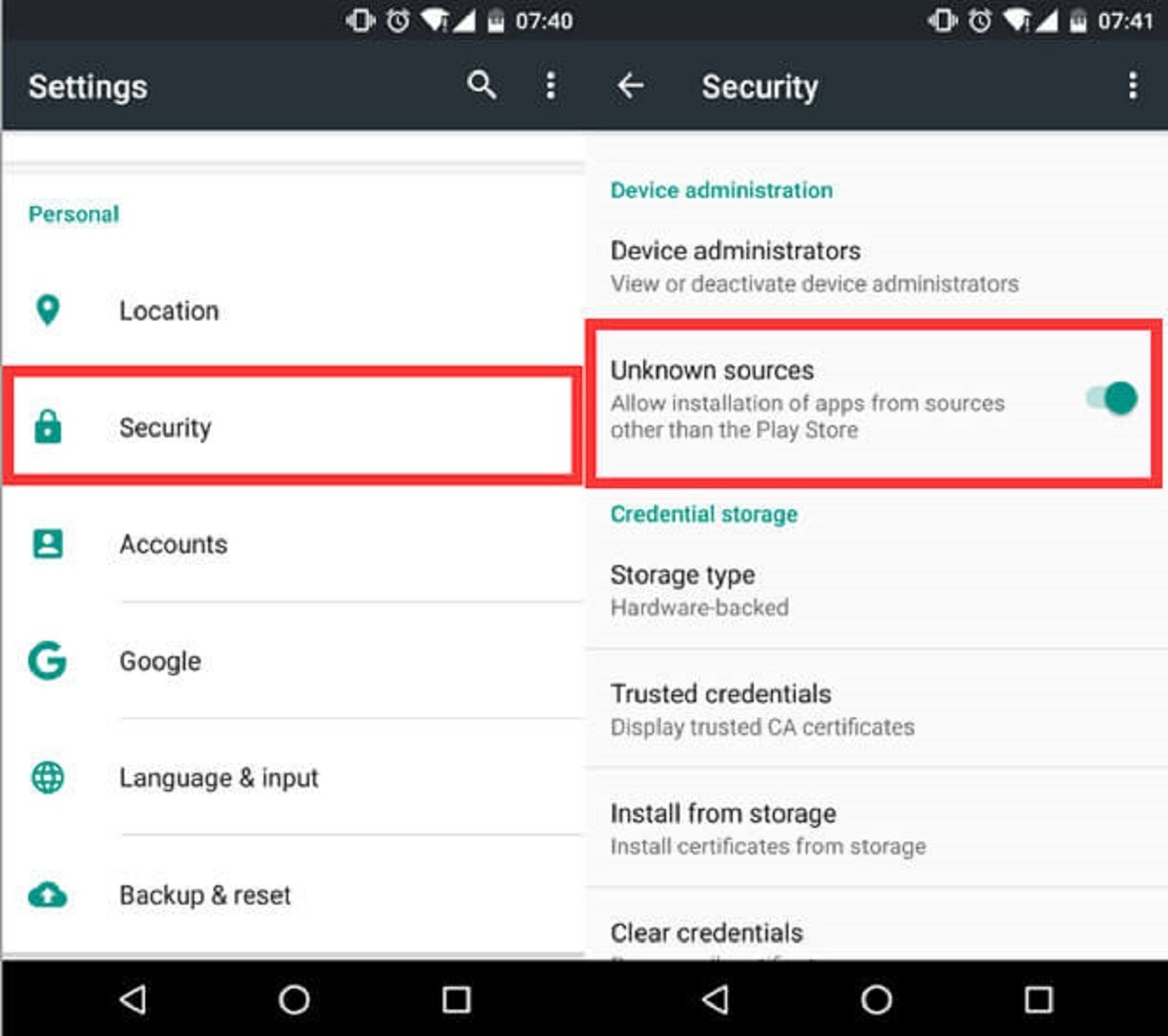
Step 1: You will download APK file to install it on your device‘Allow Unknown Sources’’ option active You need to. If this process if you have done it before do it again no need.
Step 2: To allow your smartphone to install applications from sources other than the Google Play Store Menu > Settings > Security follow the steps and Unknown Sources option activate it. These steps will vary depending on the device model.
Step 3: After completing the above process, you can download from a site whose security you are sure of. APK fileDownload . APK you downloaded file located on your device.””Downloads" folder will be recorded. For this, you can use any device on your phone. file manager use it.
Step 4: APK After finding the file install by clicking on You can start the process.
If you follow these steps completely, the APK file will be installed on your device.
NOTE
MODE When you try to install the apk, you need to delete the installed application, otherwise you will get an error.


It asks for an update when you enter the game. can you refresh the link
Unable to log in to Instagram
Bro, I downloaded Mobile Legends but it requires a passport.
The version of the mobile legends game is already outdated and the version you downloaded is old. It's not a passport, it's something else, I'm not sure, I'll add it if I look for the new version.